
The Professional Editor for Creators
Your vision, perfected. A professional-grade design environment that gives you total control, with smart tools ready when you need them.
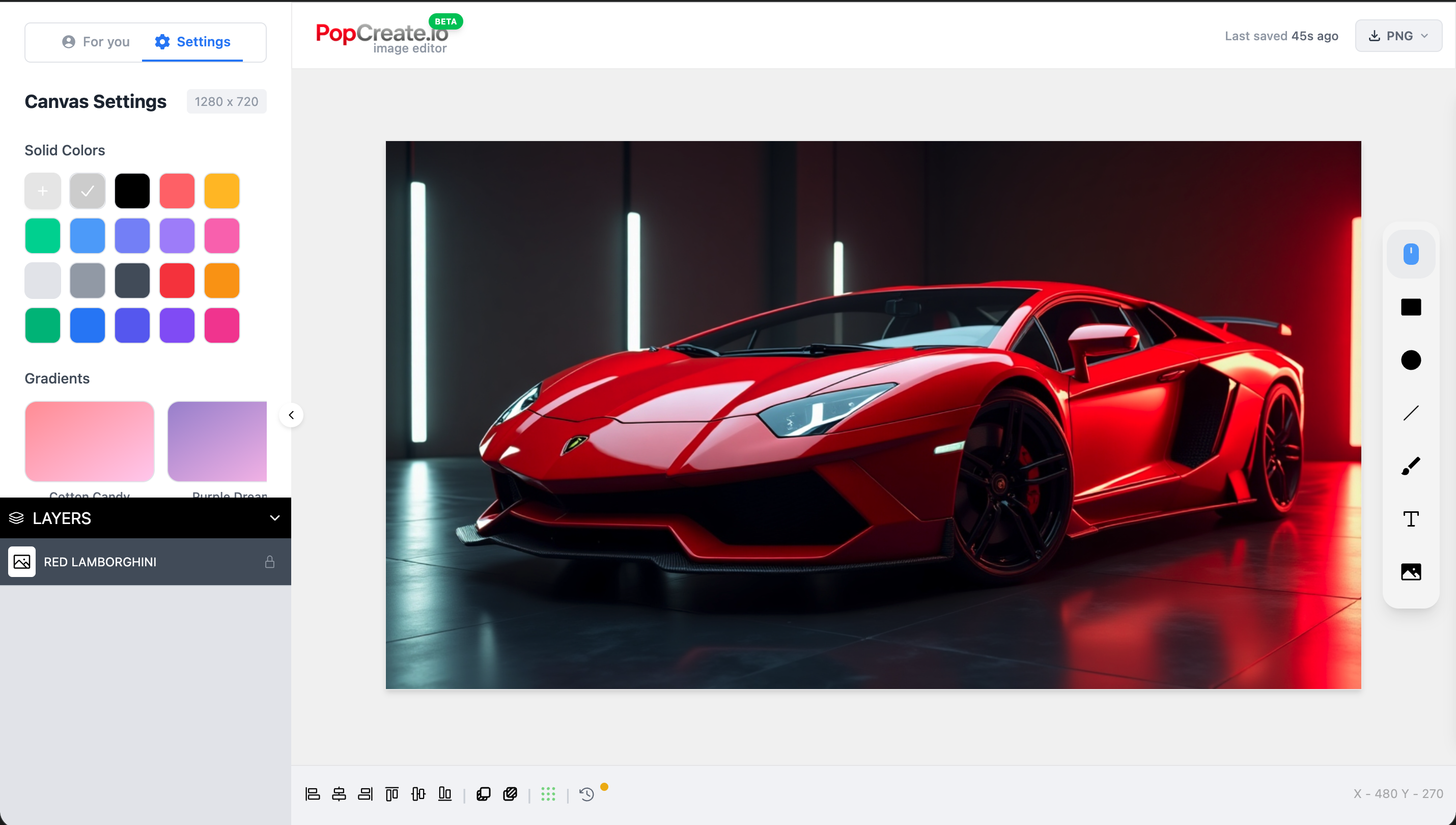
Everything You Need to Create
Smart Composition Tools
Fine-tune your composition with precision. Our smart tools help you adjust layouts and apply styles, giving you professional results without the grunt work.
Instant Creative Assets
Need a specific element? Describe it, and we'll generate it for you to place and refine. You stay in the creative flow while we handle the assets.
YouTube-Optimized Canvas
Design with confidence using our pre-configured 1280x720 canvas. Use safe zones and real-time previews to see exactly how your thumbnail performs on YouTube.
Professional Layer System
Full layer management with grouping, locking, visibility toggles, and smart naming. Work like a pro designer without the learning curve.
Rich Text & Google Fonts
Access the entire Google Fonts library with text effects, shadows, outlines, and gradients. Typography that makes your thumbnails pop.
Auto-Save & Version History
Experiment freely with peace of mind. Every change you make is saved, allowing you to rollback to any version of your creative process.
Professional Tools, Simple Interface
Vector & Pen System
Create custom shapes with precision. Full node editing, boolean operations (union, subtract, intersect), and bezier curves giving you Illustrator-like control in the browser.
Advanced Typography
Beyond basics. Access the full Google Fonts library, upload custom fonts, and apply advanced effects like outlines, shadows, gradients, and text-on-path.
Image Processing
Professional non-destructive editing. Apply filters, adjust hue/saturation, remove backgrounds instantly with AI, and use advanced blending modes.
Precision Layout
Design with structure. Use smart magnetic guides, snap-to-grid, aspect ratio locking, and safe zones to ensure your thumbnail looks perfect on every device.
Non-Destructive History
Fearless creativity. Every stroke and change is recorded. Travel back through your edit history or save snapshot versions of different ideas.
Production Export
Export for any platform. Save as JPG, PNG, WebP or SVG. Use up to 4x scaling for ultra-crisp results and smart compression to keep file sizes low.
Start Creating Professionally
Full access to professional tools and smart features. Free forever.
Launch Editor →